
Player tab
The Player tab edits everything in Player.sav, that’s the island-wide state, not the Miis themselves. Your name, your island, how much money you have, what you’ve unlocked, what’s sitting in your stores, which fountain wishes you’ve cleared, and the UGC word list the game uses for dialogue all live here.
Once Player.sav is loaded, the tab splits into sub-tabs across the top: Profile, Foods, Clothes, Clothing sets, Treasures, Interiors, Buildings, Wishes, UGC, and Advanced.
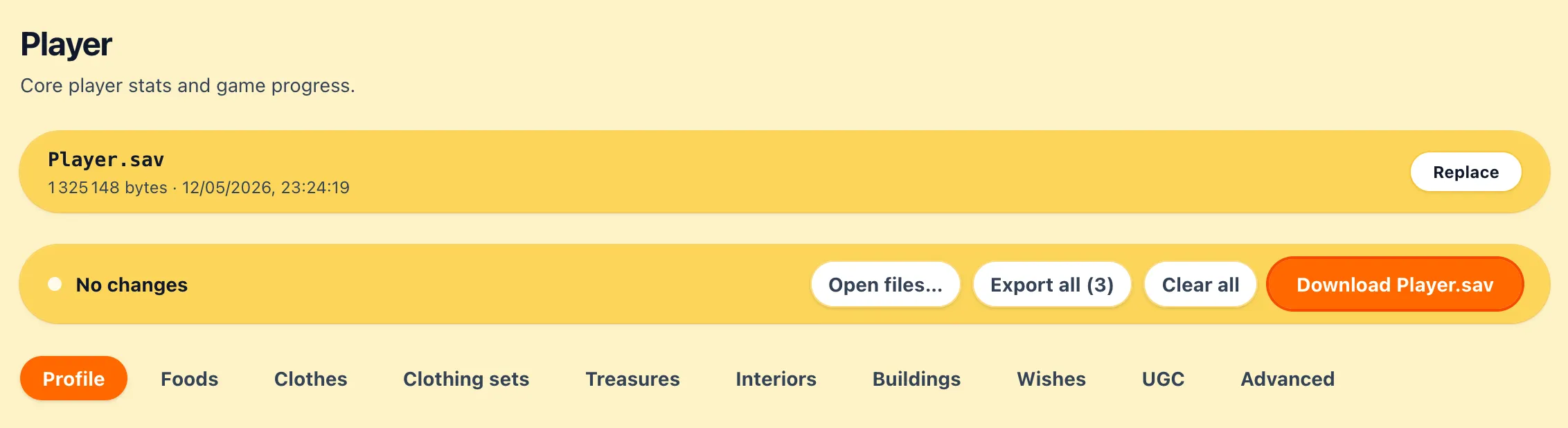
Download Player.sav
Section titled “Download Player.sav”The orange Download Player.sav button at the top of the tab writes a patched copy of your save to your Downloads folder. The editor never overwrites the file on disk, you do that yourself by putting the downloaded file back where you found it.
The button stays greyed out until you’ve made an edit, and lights up the moment something changes. You can keep editing and re-download as many times as you want, each download is the full current state.
Profile
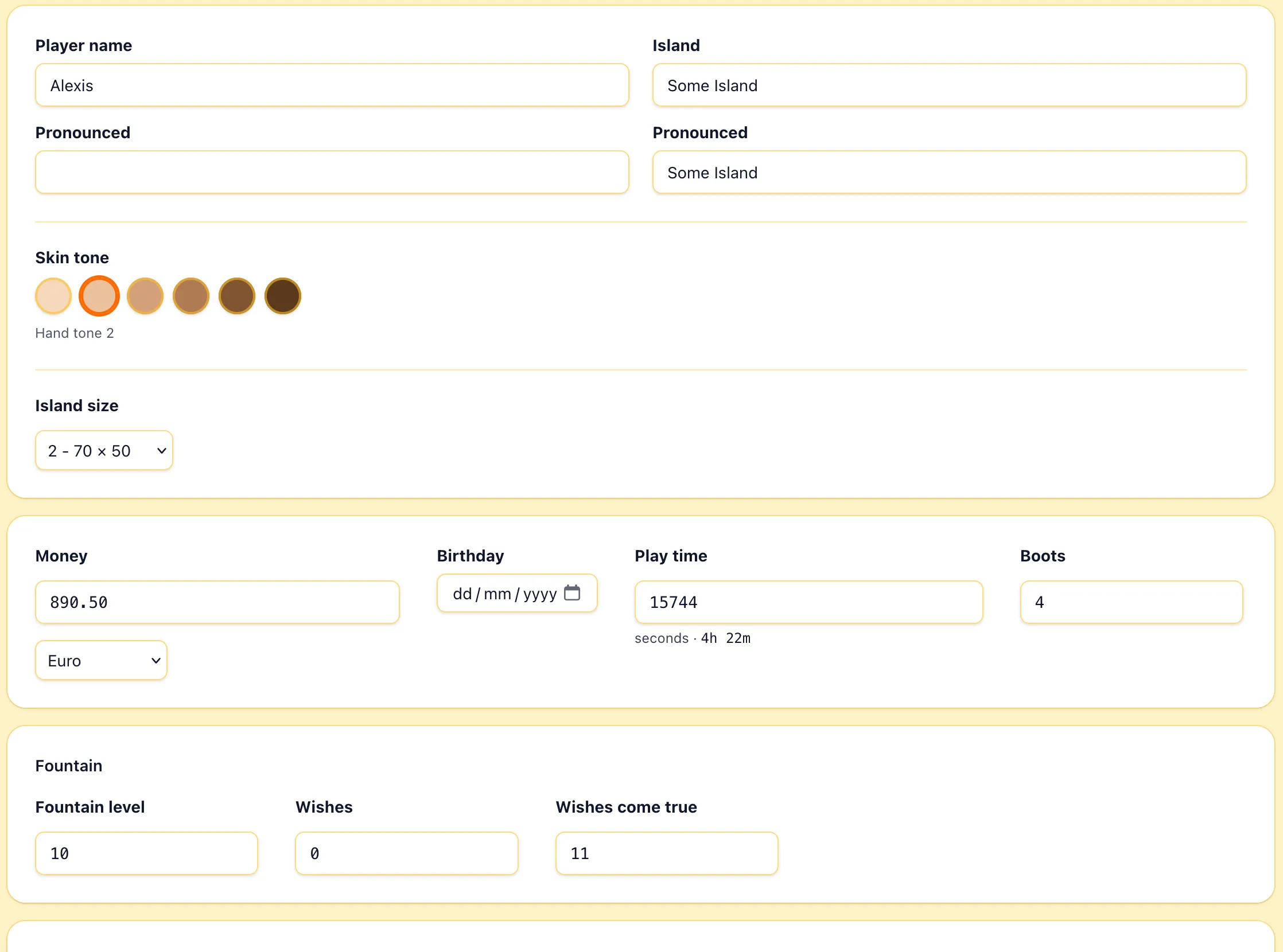
Section titled “Profile”The Profile sub-tab groups the small handful of identity and global progress fields.
Identity
Section titled “Identity”- Player name and Island are the two names everyone sees in-game. Each one has a matching Pronounced field, the phonetic spelling the game uses for voice playback. Leave the pronounced fields alone if the regular name already reads correctly.
- Skin tone picks the hand color used on the player’s hand.
- Island size sets how much of the island is available to you.
- Money, max is
999,999.99. The dropdown next to it picks the currency used in display. - Birthday uses three separate day/month/year leaves under the hood, the date picker keeps them in sync.
- Play time is stored in seconds. The field shows the raw count, with a human-readable
h msummary next to it so you can sanity-check what you typed. - Boots, how many times you booted the game.
Fountain
Section titled “Fountain”- Fountain level is your current fountain rank, the gate for most wish unlocks.
- Wishes is the number of wishes available.
- Wishes come true is the cumulative counter of wishes that have already been granted, several late-game unlocks gate on this number rather than on fountain level.
These three are also what the Wishes sub-tab will offer to bump for you when you unlock a gated wish (see below).
Inventory sub-tabs
Section titled “Inventory sub-tabs”Foods, Clothes, Clothing sets, Treasures, Interiors, and Buildings all share the same shape. They list every item the save tracks, with two controls per row:
- State is the unlock status: Locked, New, Arrived, Opened, or Obtained. Obtained is the one that makes an item show up as unlocked in your store or collection.
- OwnNum (the +/- stepper) is how many you have in inventory.
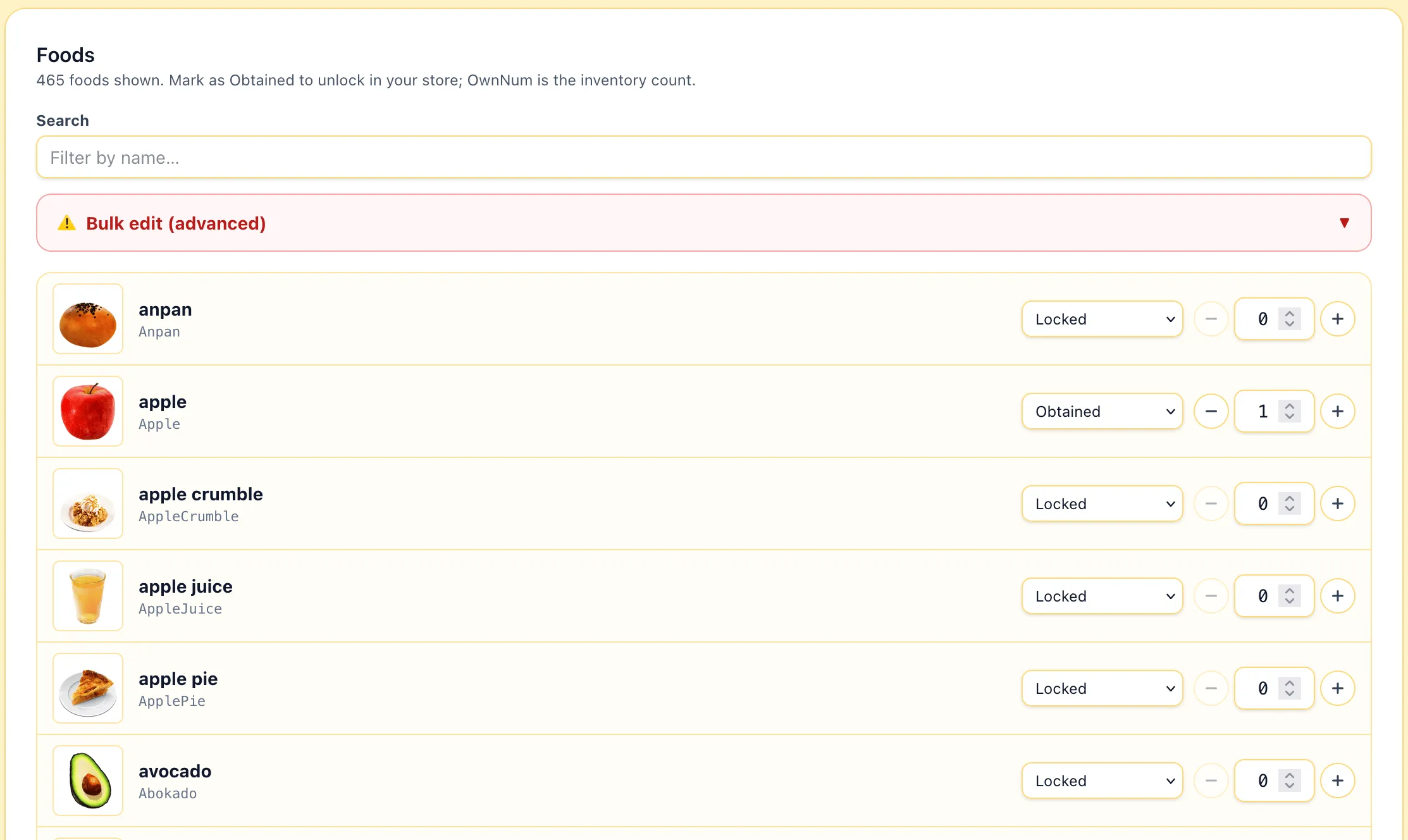
The search box at the top filters by name, both translated and internal. Type a few characters to narrow the list down, the row count below the heading updates as you type.
Some sub-tabs have an extra level of grouping. Clothes and Clothing sets roll up the color variants of one garment into one row, click the row to expand and edit a single color. Interiors does the same for style variants.
Bulk edit
Section titled “Bulk edit”Each sub-tab has a Bulk edit (advanced) drawer hidden behind a warning bar at the top of the list. Open it to set every visible row to the same state, the same quantity, or both. The bulk operation applies to whatever the current search filter shows, so type a search first to scope what you’re about to overwrite.
Wishes
Section titled “Wishes”The Wishes sub-tab edits the wishes available at the fountain. Each row is one wish with a checkbox, ticking the box marks the wish as obtained. Unticking removes it.
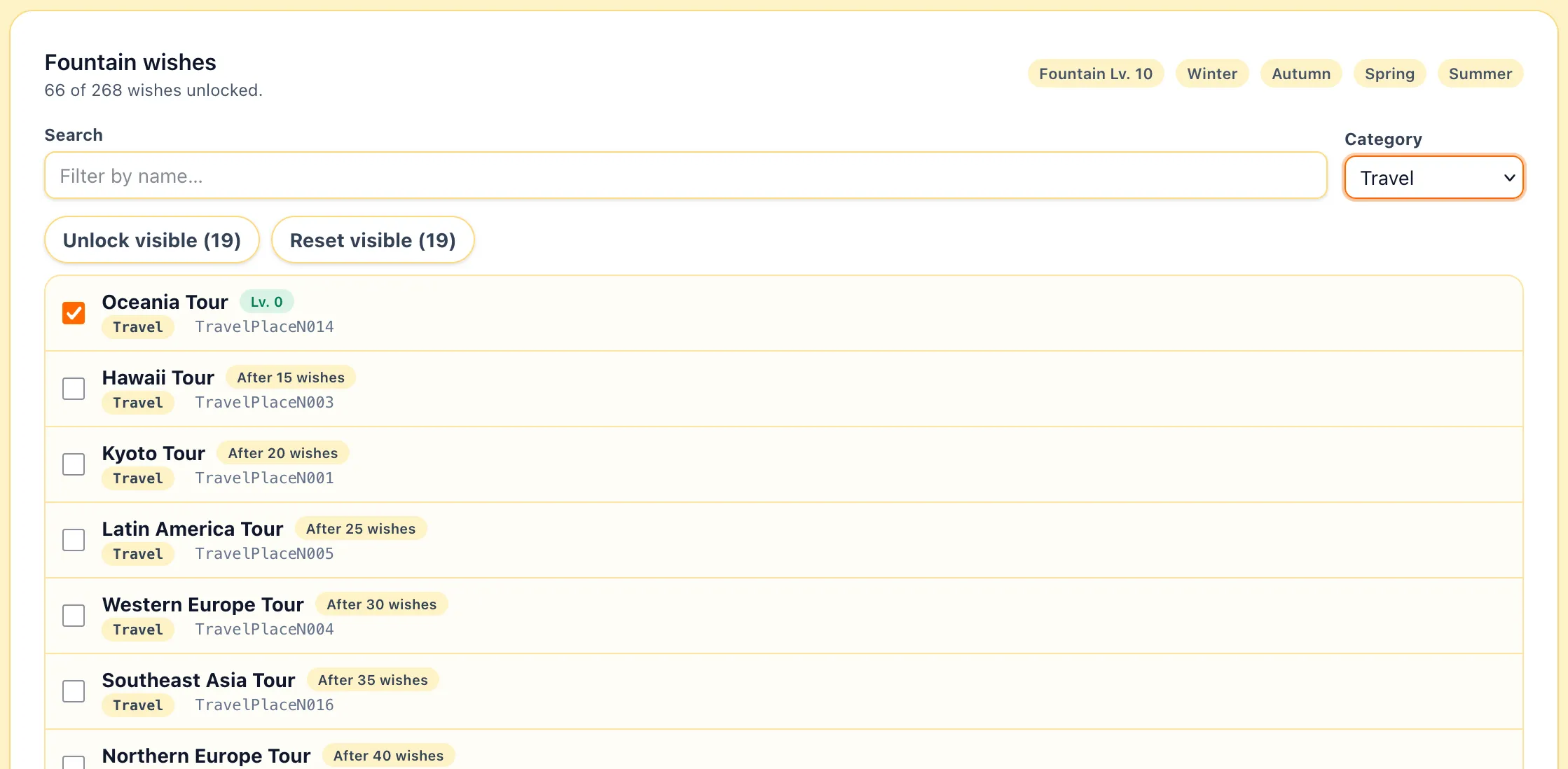
Each wish carries one or more gates that gate when the game considers it cleared:
- Lv. N is the minimum fountain level required.
- After N wishes is the cumulative number of wish granted required.
Gates show in green when your current stats meet them and red when they don’t.
If you tick a wish whose level or count gate you don’t meet, the editor pops a Bump stats to satisfy unlock? dialog. Confirm to raise your fountain level and/or wishes-come-true counter to exactly the threshold, skip to leave them as-is. Skipping is fine if you plan to bump those stats from the Profile tab yourself.
Unlock visible and Reset visible at the bottom apply to whatever the current search and category filter shows. Same warning as bulk inventory edits, both buttons confirm before running.
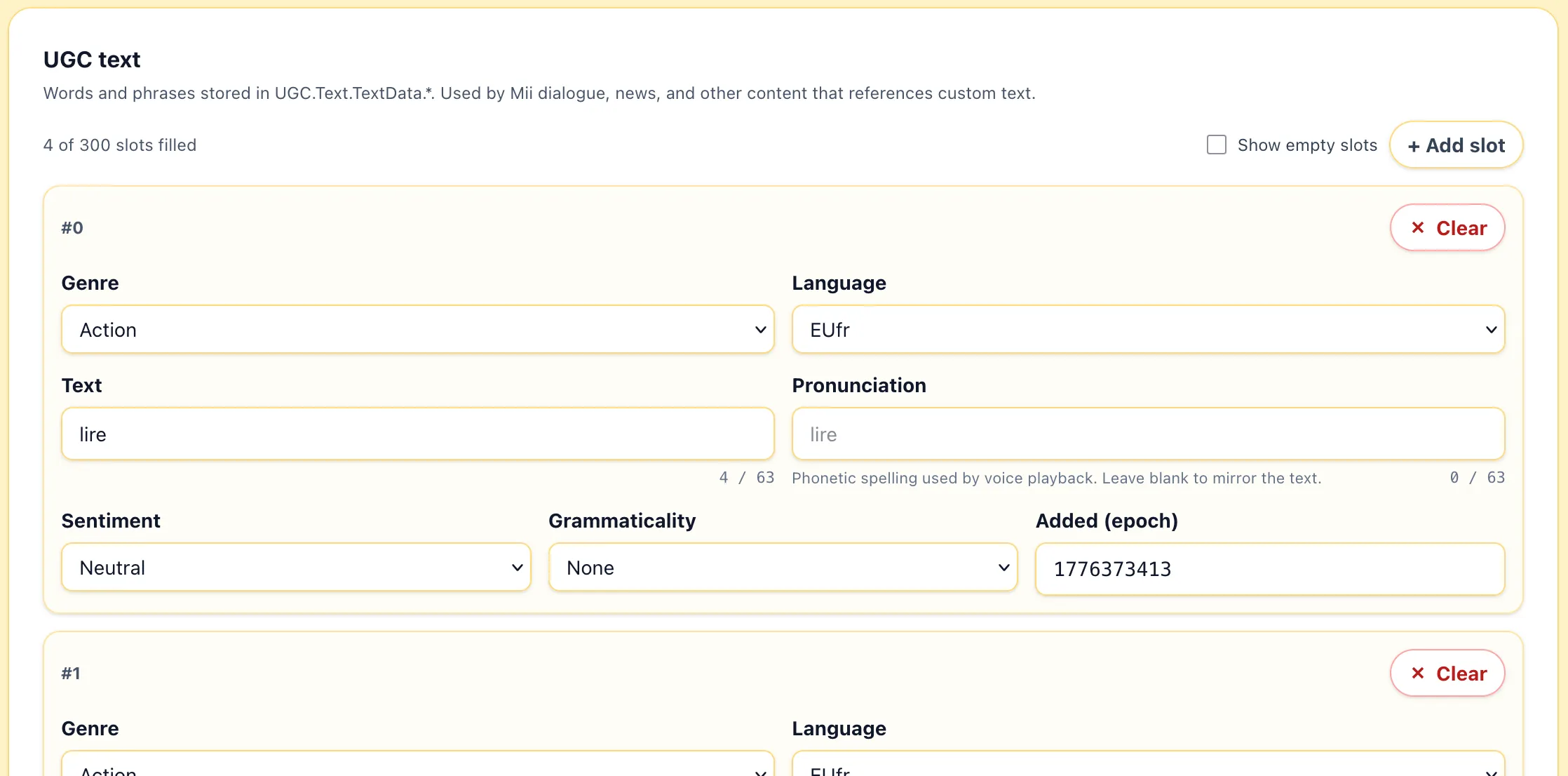
The UGC sub-tab edits the custom word list.
Advanced
Section titled “Advanced”The Advanced sub-tab is the raw entry browser for Player.sav. Every leaf in the file is listed and editable here, including the ones the curated sub-tabs don’t expose.