Loading saves
The editor needs your save files before it can do anything. This page walks through how to get them in, what to expect once they’re loaded, and what to do when something doesn’t take.
If you haven’t extracted the files off your console or emulator yet, start with Ryujinx, Eden, or Modded Switch.
1. Drag onto the drop zone
Section titled “1. Drag onto the drop zone”The home page has a single large drop zone. You can drop:
- One or more
.savfiles (Player.sav,Mii.sav,Map.sav). - A whole save folder, including the
Ugc/subfolder if you have one. - A
.ziparchive containing any of the above.
The editor figures out which file goes where, first by name, then by reading the contents if the name doesn’t match. You don’t have to load all three at once, each one routes to its own tab.
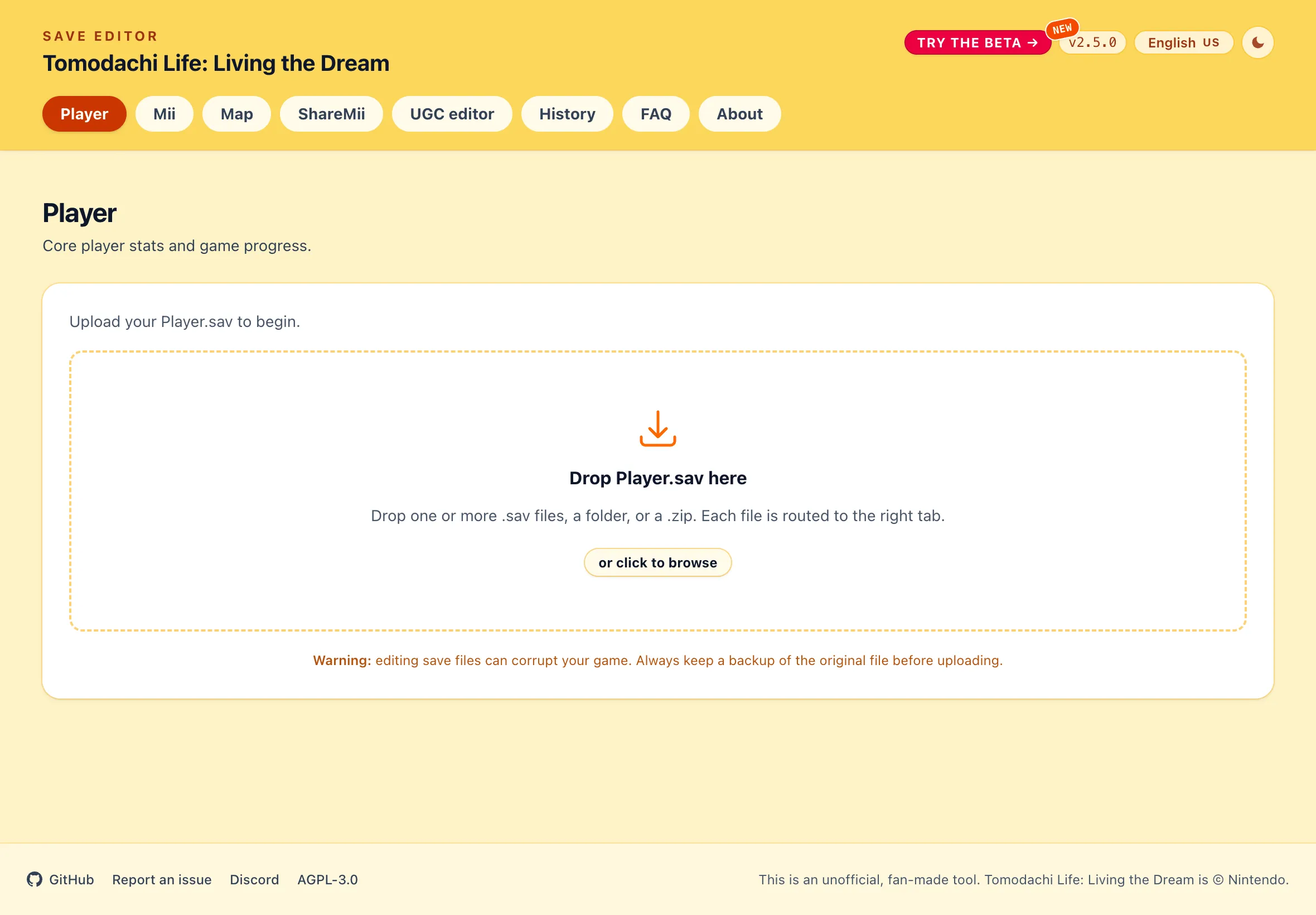
If you’d rather pick files through a dialog, click or click to browse inside the drop zone, or hit Open files… in the top bar once you’re inside any tab.
2. Load the Ugc folder
Section titled “2. Load the Ugc folder”UGC textures live in a separate Ugc/ folder next to the .sav files. When you drop the parent folder or a zip of the save, the editor picks the UGC files up automatically and they show up in the UGC and ShareMii tabs.
If you only dropped the .sav files, the UGC tab will be empty. Drop the Ugc/ folder (or a zip of it) on top of the already-loaded save and it’ll attach to the current session, no need to reload anything else.
You must first create a UGC slot in-game, even a blank one, before the editor can replace it.
When a file doesn’t load
Section titled “When a file doesn’t load”A couple of things can stop a file from loading:
- The filename doesn’t match and the contents don’t parse. The editor falls back to reading the bytes when the name is off, but if the file is corrupted or isn’t a Tomodachi Life save at all, it shows No recognised save files found. Expected Player.sav, Mii.sav, or Map.sav. Double-check you grabbed the right files from the save folder.
- The file couldn’t be read. A Failed to read file message means the browser couldn’t open the bytes, usually because the file is used by another program or the zip is malformed. Close anything that might have it open, or re-zip the folder, and try again.
Clearing what’s loaded
Section titled “Clearing what’s loaded”Clear all in the top bar removes every loaded save from the editor. It doesn’t touch the files on disk, only the copy. Use it when you want to start fresh from a different save folder.